

In 2026, using AI to manage your daily tasks is no longer a luxury. Yet, many professionals still waste hours trying to get good results from these tools. They type a quick question and get a generic response back.
This happens because most people treat Claude AI like a basic search engine. True productivity comes when you treat Claude like a smart colleague. By using structured prompts, you can hand off repetitive tasks and clean up your schedule. You do not need any technical coding knowledge to make this work. These five simple prompts will change how you work every week.
Table of Contents
Why Prompt Quality Matters
A vague prompt always gives a vague answer. If you ask Claude to write an email without giving it any background, it has to guess what you mean. It might use formal or robotic language that does not sound like you at all. This forces you to spend more time editing the text than if you had written it yourself.
Structured prompts give the AI clear context, distinct goals, and specific rules. When you provide proper instructions, the output becomes instantly helpful. You can read the latest Anthropic research to see how clear context improves model performance. Reusable prompts act like shortcuts for your regular workflows. They save you from typing the same background information every single day.
5 Practical Claude AI Prompts for Productivity
1. The Raw Brain Dump Organizer
The Actual Prompt:
-
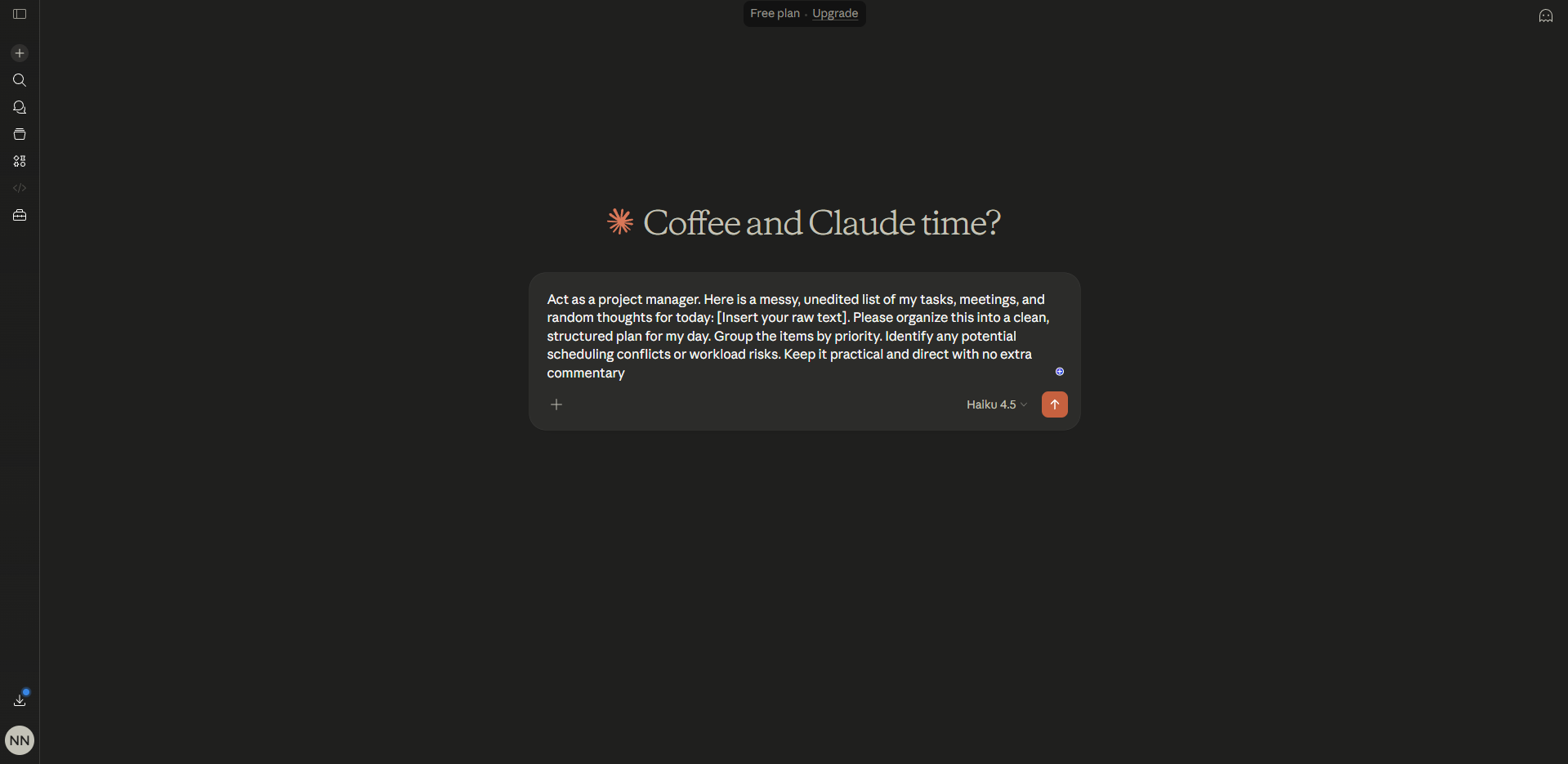
“Act as a project manager. Here is a messy, unedited list of my tasks, meetings, and random thoughts for today: [Insert your raw text]. Please organize this into a clean, structured plan for my day. Group the items by priority. Identify any potential scheduling conflicts or workload risks. Keep it practical and direct with no extra commentary.”
What This Prompt Does This prompt takes a chaotic list of daily tasks and turns it into a clear schedule. You do not need to format your text or fix spelling mistakes before pasting it into Claude. It handles all the messy thoughts in your head and creates a structured plan.
Why It Saves Time Instead of spending twenty minutes sorting through your mental clutter every morning, you get clarity in under a minute. It stops you from feeling overwhelmed before your workday even begins. This keeps you focused entirely on doing your tasks instead of planning them.
Best Use Cases This workflow is perfect for busy entrepreneurs and freelancers who manage multiple projects at once. It also helps small business owners who need to organize their daily operational tasks quickly.
Pro Tip You can use the voice-to-text tool on your phone to record your thoughts while grabbing coffee. Then, paste that exact text transcript directly into Claude for a fast morning plan.
2. The Document Destructor
The Actual Prompt:
-
“I am uploading a long document. Please give me a short three-paragraph summary of the core message. Next, list the key decisions or action items required from me in clear bullet points. Finally, highlight the three most critical facts or numbers I must remember. Avoid any unnecessary marketing fluff.”
What This Prompt Does This prompt strips away the filler from long project PDFs, industry reports, or client rules. It extracts the essential data points so you can understand the main takeaways without reading dozens of pages. It gives you the core facts right away without any extra fluff.
Why It Saves Time Reading an entire twenty-page report can take over an hour of deep focus. This prompt gives you the exact answers you need in less than two minutes. This allows you to make fast decisions without losing your afternoon to massive documents.
Best Use Cases This works well for researchers and consultants who need to analyze new updates quickly. It also helps busy business founders who must review customer files or vendor agreements.
3. The Universal Email Polisher
The Actual Prompt:
-
“I need to write an email to [Insert Recipient Type]. The situation is: [Insert brief explanation of the issue]. I want to sound professional, warm, and direct. Keep the email short and under 150 words. Provide three different versions: one that is direct, one that is slightly softer, and one in-between.”
What This Prompt Does This prompt drafts clear emails without making you stare at a blank screen. It gives you multiple tone choices so you can pick the exact style that fits your client relationship. It keeps your communications brief, simple, and highly professional.
Why It Saves Time Writing difficult emails often causes people to overthink and edit their words for thirty minutes. Getting three clear choices immediately removes the friction of starting an email from scratch. You can simply pick the best version, change a few words, and hit send.
Best Use Cases This is a lifesaver for freelancers sending follow-up notes or designers explaining project updates. It also helps customer support teams handle client complaints with a calm tone.
Pro Tip If a client sends you a long and confusing email message, paste it into Claude first. Ask the AI to list the core requests before you use this prompt to write your reply.
4. The Code Debt Auditor
The Actual Prompt:
-
“Act as a senior developer. Review this specific code snippet for file size, loading speed, and cleanliness: [Insert your code]. Identify any unused elements, redundant logic, or slow performance patterns. List the top three issues with simple explanations and show the optimized code fix for each.”
What This Prompt Does This prompt acts as an automated code reviewer that scans your scripts for hidden mistakes or bloated lines. It breaks down complex programming issues into simple language that is easy to follow. It helps you keep your software projects running smoothly without any guesswork.
Why It Saves Time Debugging broken code manually can swallow an entire afternoon of trial and error. Claude can scan hundreds of lines of code instantly to find structural mistakes. This saves you hours of tedious troubleshooting and keeps your project timelines on track.
Best Use Cases This tool helps frontend developers and web designers optimize theme files quickly. It also assists small business owners trying to fix minor script errors on their own websites.
Pro Tip You can check resources like the official Claude AI documentation to see how the newest models handle large codebases. This helps you write better prompts for complex development tasks.
5. The Content Multiplier Framework
The Actual Prompt:
-
“Take this core text: [Insert your blog post or article text]. Turn it into three short social media posts for professionals. Next, write one quick email newsletter outline based on it. Keep the language natural, engaging, and completely free of robotic marketing buzzwords.”
What This Prompt Does This prompt takes one piece of long writing and turns it into multiple short online updates. It maintains your original message while adapting the layout for different social platforms. It makes sure your marketing text sounds completely human and authentic.
Why It Saves Time Creating a full weekly marketing campaign from a single article normally takes hours of tedious drafting. This prompt creates an entire week of social media content in a single click. It allows you to build your digital brand without spending hours writing copy.
Best Use Cases Content creators and digital marketers use this to stay active online without working late. It also helps small agency owners who need to promote their services across different channels easily.
Pro Tip You can pair this strategy with smart tools to push these updates directly into your publishing schedule.
How to Get Better Results From Claude
To get the best results, you must give Claude specific context about your business. Tell the AI who you are, who your audience is, and what tone you want to use. This prevents the tool from generating generic answers that look like everyone else’s content.
Providing examples is another great way to improve your results. Paste a sample of your favorite writing style into the chat box before asking Claude to write something new. This helps the AI match your unique voice much more accurately.
Always treat your AI chats as an ongoing conversation rather than a single attempt. If the first answer is not perfect, ask Claude to make specific changes. You can tell it to make the text shorter, simpler, or more conversational.
Finally, always break down massive business tasks into smaller steps. Instead of asking Claude to write an entire project from scratch, ask for an outline first. Once you approve the outline, ask it to write each section one at a time.
How 79mplus Optimizes Your Business Workflows
Using copy-and-paste prompts is an excellent way to save time every day. However, true business efficiency happens when you automate these processes entirely. If you want to eliminate manual work, you need a technical partner to build deeper systems.
At 79mplus, we help businesses transition from basic prompts to full AI workflow automation. We design custom AI integrations and backend automation systems that connect your daily software tools together. This keeps your business running smoothly without requiring manual data entry.
We also specialize in custom WordPress development and advanced plugin development. If you need an online store that handles customer queries automatically, we can build it.
Our team focuses heavily on business process automation and workflow optimization. We do not just build websites; we act as your long-term technical implementation partner. We analyze your current bottlenecks and build the exact tools your team needs to scale.
Frequently Asked Questions
What is Claude AI used for?
Claude AI is used for processing text, summarizing long documents, drafting emails, brainstorming business ideas, and writing code. It helps professionals handle repetitive administrative tasks so they can focus on high-impact work.
Can Claude AI help with coding?
Yes, Claude AI is highly effective at writing, debugging, and explaining code. It can audit existing code snippets for performance issues and suggest optimizations for platforms like WordPress.
Are AI prompts reusable?
Yes, you can save your best prompts in a text file or use Claude Projects to reuse them. Using a consistent prompt structure ensures you get high-quality, predictable results every time you work.
How do better prompts improve AI results?
Better prompts provide clear context, roles, and constraints to the AI. This eliminates generic answers and ensures the generated content matches your specific business goals and tone.
Streamline Your Workflow with Claude AI
Mastering Claude prompt engineering is one of the fastest ways to improve your daily productivity. Moving away from vague questions and using structured prompts allows you to reclaim hours of lost time every week. These small adjustments to your daily routine create massive workflow improvements over time.
Start by picking just two prompts from this guide to try during your next workday. As you get comfortable with the results, you can begin building your own custom prompt library. Experimenting with these tools will help you find the perfect balance for your specific business needs.
If you are ready to take your operations to the next level, you do not have to build these systems alone. Let 79mplus handle your backend automation, custom WordPress solutions, and advanced AI integrations. Contact 79mplus today to transform your daily business operations into an automated growth engine.